Abduzeedo - graphic design | design inspiration | tutorials - |

- Daily Inspiration #685
- The Perfect Office #66
- Show Us Your Type - Hong Kong
- Inspiring Artworks by Sara Holbert
- Game Center Layout Style in Fireworks
- Beautiful Photos from the 2010 NatGeo Photography Contest
| Posted: 06 Dec 2010 12:10 PM PST
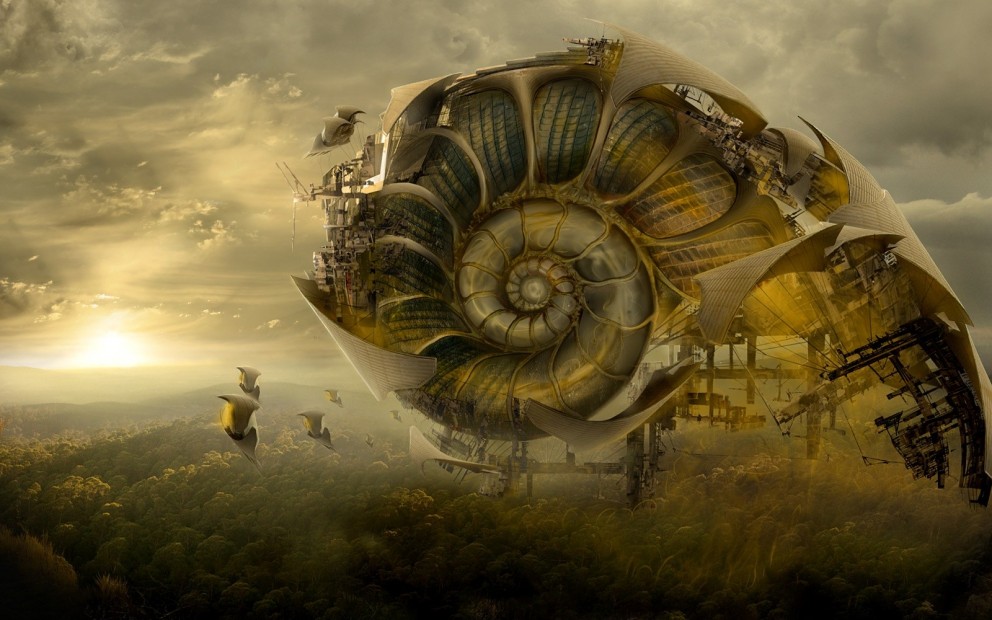
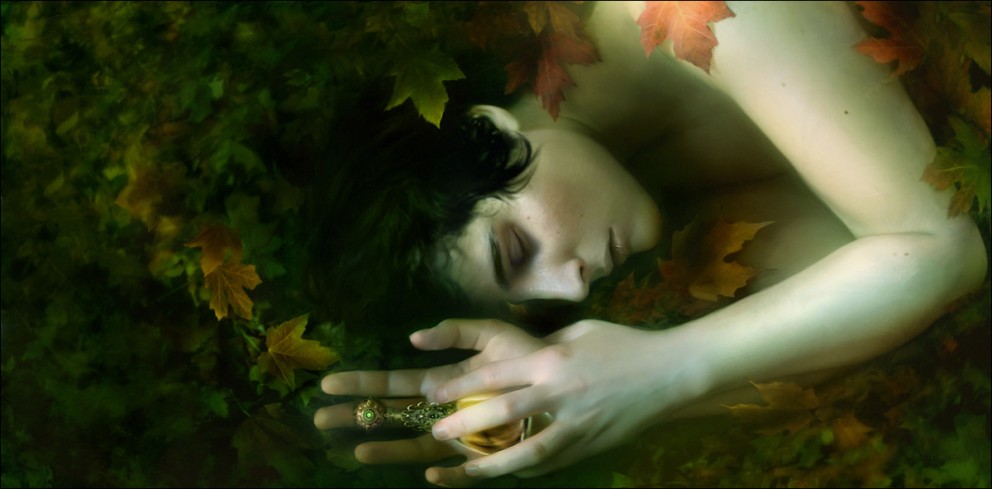
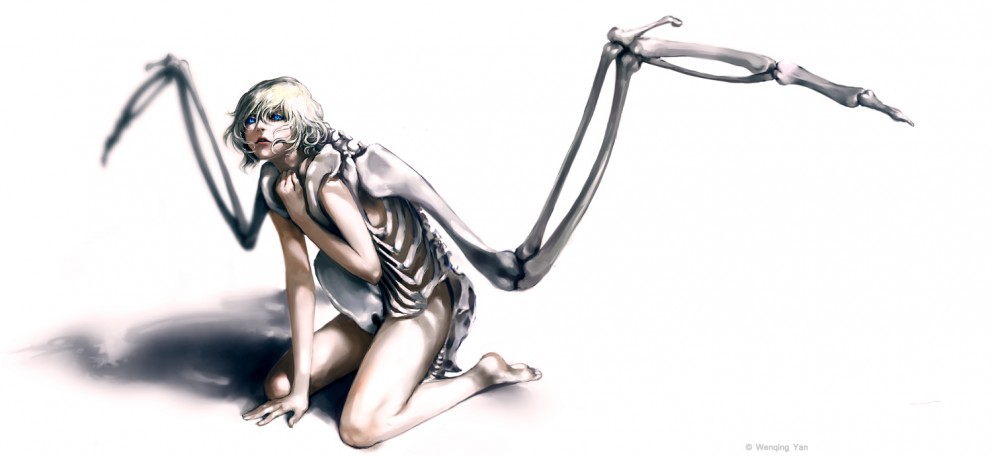
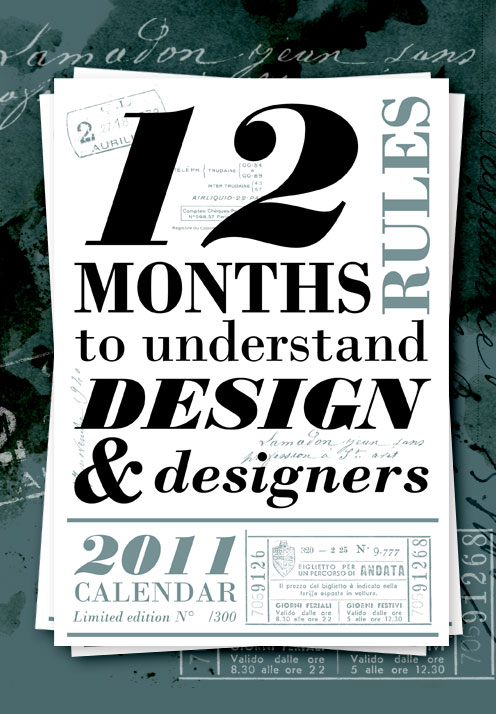
This post is part of our daily series of posts showing the most inspiring images selected by some of the Abduzeedo's writers and users. If you want to participate and share your graphic design inspiration, just send us, via email, the image with the link from where you found it, also use "Daily Inspiration" in the subject, and don't forget to send your Abduzeedo username; or via Twitter sending to http://twitter.com/abduzeedoIf possible use the HTML code: <p class="imgC"><a href="Link to the page you found the image"><img src="Link to the Image" /></a></p> Do you want to see all images from all Daily Inspirations? Check out http://daily.abduzeedo.comAdam DopieralskiAhmad Elabbar
Benoit paillé
Best Bookmarks
bongo tees
Carlos Camp
chathuranga
Claudio Rangel
Coolvibeblog
daniel morlock
Double
Fabiano
Fabien Barral
Fabio
Frederic Terral
gerger
Equalizador Gerrel Saunders
Gisele
Gregory A. Cohen
HdK
Jacob Lysgaard
Jason Dean
kennethMaarten Janssens
Marcel Dittrich
MotionLights
SLOWBOARDING from Motion Lights on Vimeo. Newyorkiz
Pavel Fuksa
Pierrix
Raid71
rekzorr
Roma FromSky
Roman Ruetten
Montage 2011 preview from Rom?n Ruetten on Vimeo. Shelby White
Simon OwensTorrey TayenakaThiagomic
UBD
zeemp
Via TwitterSend your suggestions via Twitter to http://twitter.com/abduzeedo using #abdz in the end of the tweet. @Rodrok
@marcos333
|
| Posted: 06 Dec 2010 09:03 AM PST
We've seen some great gadgets and equipment for designers. So many cool stuff, that we could actually assemble infinite perfect office spaces! Every week we'll assemble a perfect office, and we'd like you to help us. What equipment would the perfect office have?<!--break--> Not only gadgets and equipment, but also furniture, sound system, gaming stuff (for lunch time!). A designer is totally allowed to dream with the perfect office, and that's what we're gonna do here! Also, tell us your suggestions, or even better, you may tell us via twitter (mine and fabio's), using #abdz_ofc so we can check it. Alright? I hope you guys enjoy this brief selection. Cheers! ;) Uranium Soap Radio activate your day in the most environmentally friendly, organic way! Sticky Tape Dispenser The Sticky Tape Dispenser hides your sticky tape in what appears to be a tape measure case. It looks metal but is made of durable ABS plastic and has an authentic sliding access clip/belt hook. It's the toughest, most usable tape dispenser around and even comes with a roll of tape inside, ready for your wrapping needs. Most importantly, it tricks the Fae into not noticing it. In cases of extremely observant Fae, you may want to clip the Sticky Tape Dispenser to your belt permanently. Besides, you never know when you'll need tape. Best be prepared. (at ThinkGeek) The Union Street DSLR Camera Bag A stylish alternative to the dull regular camera bag, The Union Street bag for men by Ona Bags is a hand-made canvas bag infused with wax to enhance it's durability. The bag is designed to hold all your items; in addition to the camera it holds a 15" laptop, up to 3 lenses or small accessories and personal items. The interior is lined with protective padding and 5 customizable dividers. (at Holy Cool) Tron USB Drives Awesome Tron USB Drives in old and new styles. Choose yours. (at Papel Pop) Multi-Card SD And MicroSD Readers From Elecom These little gadgets are… very practical. I'm surprised this kind of thing isn't more common. Basically you've just got one doodad with room for multiple cards of the same type. So if you need to duplicate or transfer files from one to the other, no middle step, you just plug 'em both in to the USB thing and boom, you're copying. This would be handy for photographers and people who do a lot of hacking with their phones. I constantly have to trade data between MicroSD cards, and while I don't often have to copy from one SD to another, I'd definitely welcome the ability to do so. Both these little adapters are from Elecom; you can get the multi-SD reader here and the MicroSD thing… well, I don't know. I can't find it for some reason. Oh well, if you're pumped about it, you'll find it somehow. (at Crunch Gear) The iPhone Video Projector This is the device that projects videos from an iPhone. The LED-illuminated projection system provides 557 x 234 resolution with its 4:3 native aspect ratio, projecting videos on a screen or wall up to 110? diagonally from as close as 20? up to 18? away. Playing audio through an integrated sound system, its two 3-watt titanium drivers integrate with the on-board dual 7-watt amplifiers to produce crisp, robust sound. It can also display videos at 16:9 aspect ratio–the same used by high definition televisions. (at 7 Gadgets) |
| Posted: 06 Dec 2010 08:06 AM PST
Show Us Your Type is an amazing project that is about two things some of us truly love; typography & cities. It's a unstoppable collection with great works from all over the globe, there's always a city on exposition while another one is on deck to receive new works. Check it out!<!--break--> The ProjectSHOW US YOUR TYPE is a project about two things we adore, type and cities. How to ParticipateAnyone can participate and send in your own work for the next city. Check out How to Participate. The next city is Kingston, Jamaica. Find out more ... About the authorHi there! I'm Paulo Canabarro, 25 year old web designer from Brazil currently living in Providence RI, USA. I'm truly passionate about design of all kinds. Finding and sharing inspiration has become part of my life. If you have any suggestions or requests just get @ me - pvpcanabarro@gmail.com For some cool stuff make sure to Follow me on twitter! Sponsored Links:
|
| Inspiring Artworks by Sara Holbert Posted: 06 Dec 2010 05:52 AM PST
The work of Sara Holbert is delicate and inspiring...her smooth style and beautiful imaginary gets our attention right away. She illustrates, paints and draws using all her imaginations and love for digital and traditional art.Check out some inspiring artworks by Sara here and go to her website to see even more stuff from her. Enjoy. :)
|
| Game Center Layout Style in Fireworks Posted: 06 Dec 2010 02:07 AM PST
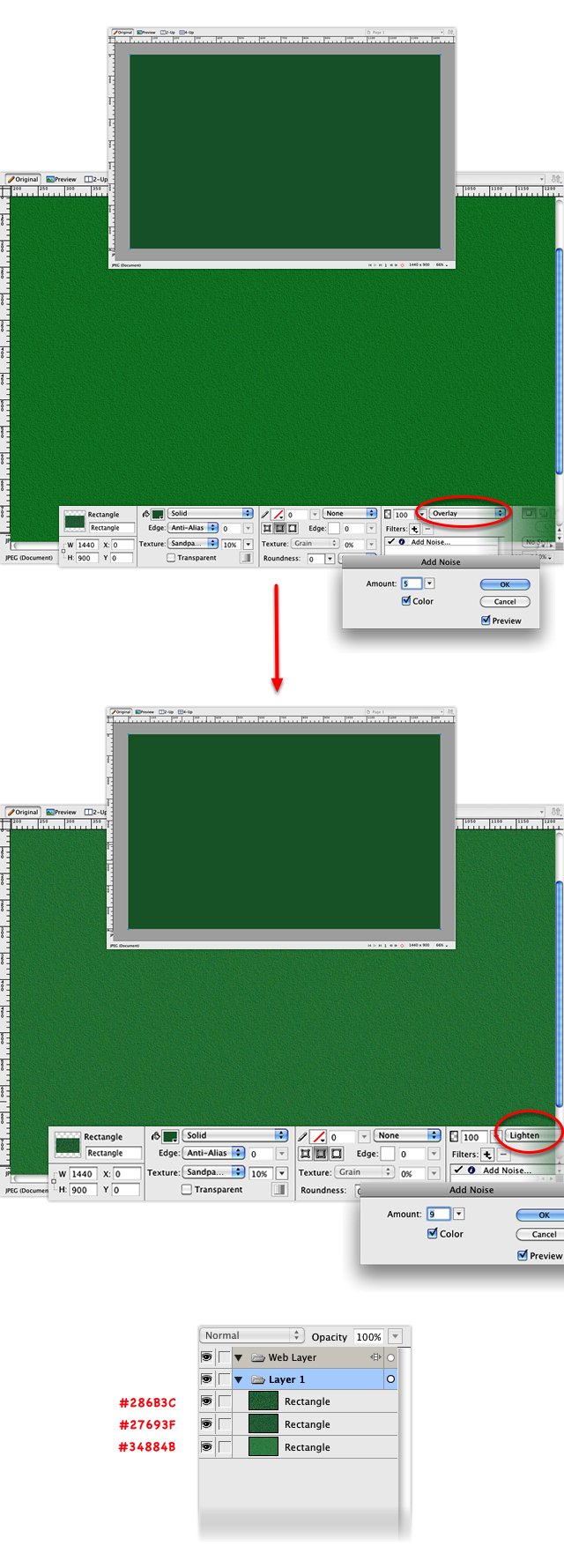
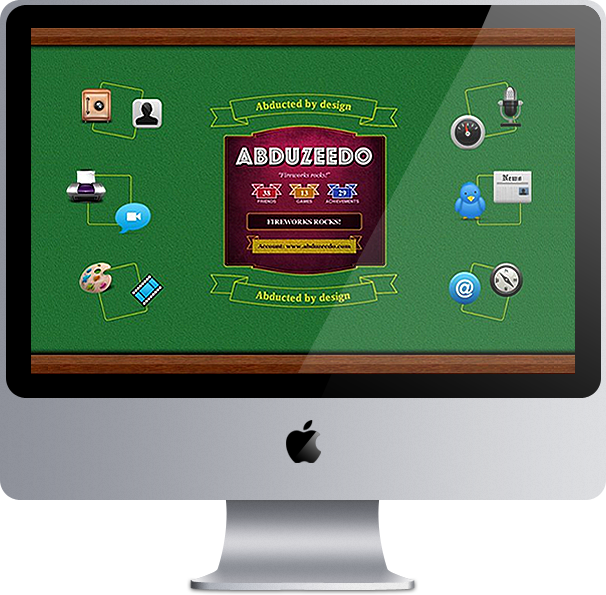
This tutorial was inspired on the new Apple Game Center design. Besides to teach you guys how to make all the effects we will use the whole work spent on that to create a cool wallpaper. So check out the resolution of your computer and let's get started!<!--break--> Step 1Here I create a 1440x990 pixels canvas. After that we can start with a rectangle, fill with #34884B. Also check out the texture we need to apply.
Step 2Now we will create other 2 rectangles. First one fill with #27693F and the last one with #286B3C. Check out the image of each effect and texture applied. Also check out the order of the layers until now.
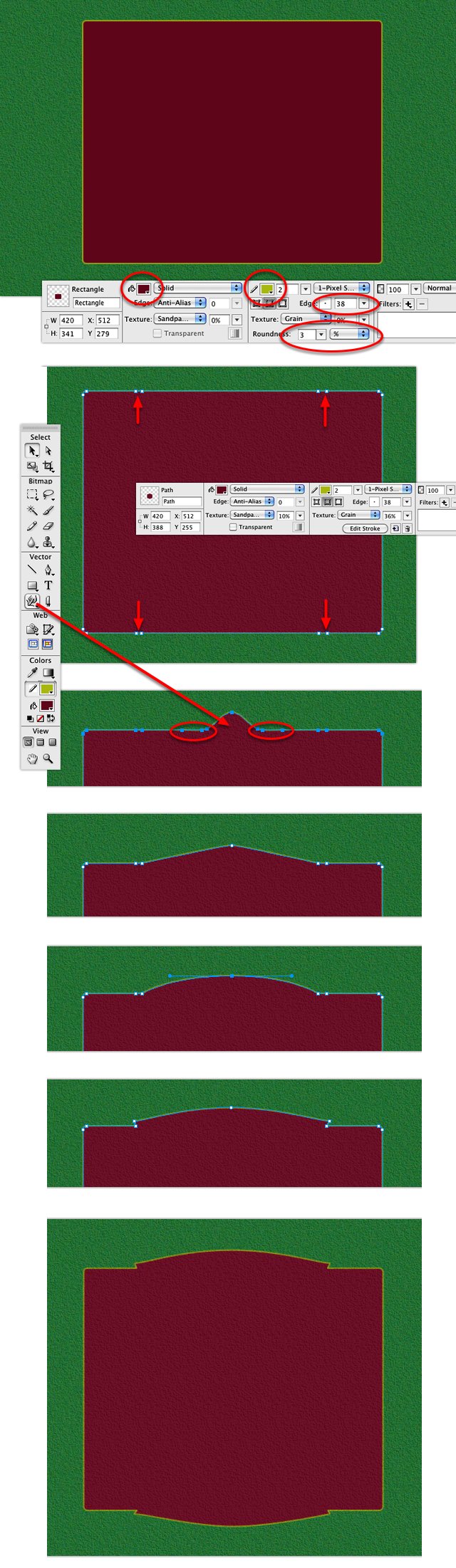
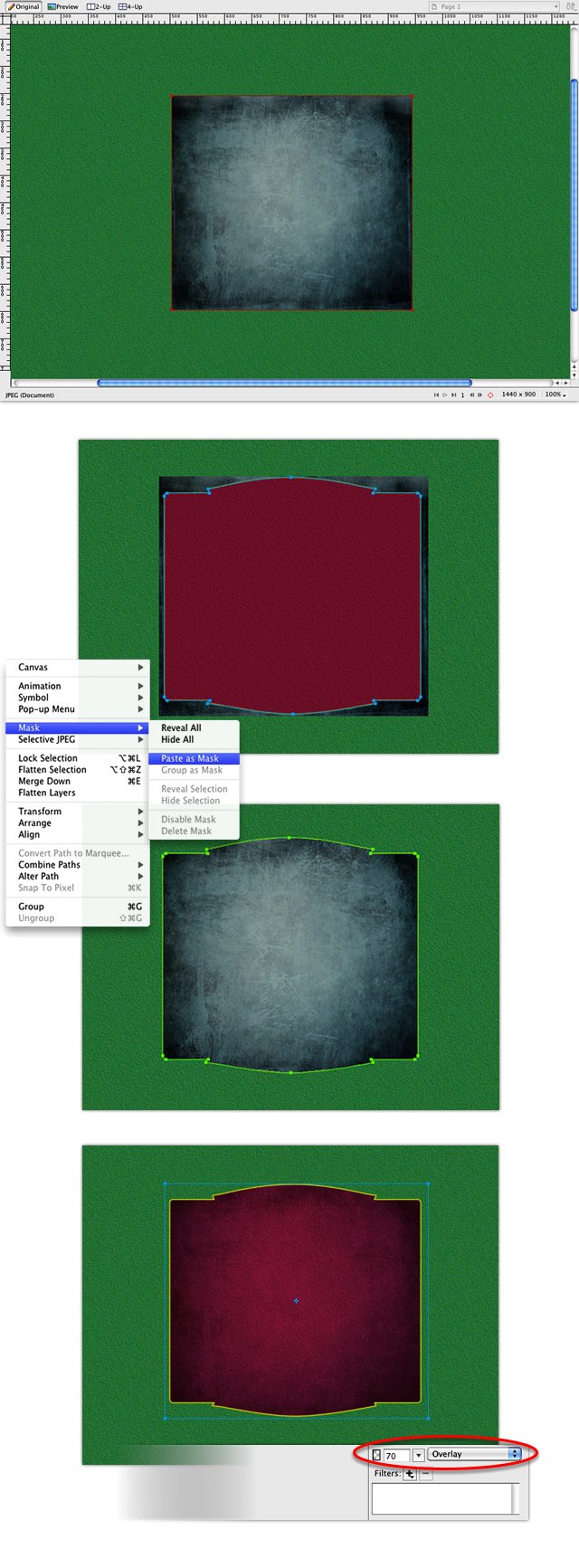
Step 3Let's start a red rectangle now. We will make some nodes to model this rectangle, so I have a tip, just ungroup the rectangle, you will convert it to a path. With the pen, create the nodes, and also delete some others as I show in the image below. After that use the Subselection Tool "A" to select some points and model the rectangle until you have a draw like the last on the image.
Step 4Now we will apply a dirty style on this path using a texture. Just duplicate the path you've just created, place the texture bellow the path and use this path as a mask on the texture. Also apply an overlay 70% on this mask.
Step 5Now we need to put some light onto this texture. Duplicate again the red path and create an ellipse with light pink color fill. Don't forget to apply a feather on this ellipse. Use this other path you've just duplicated to mask this ellipse.
Step 6Here you will just create a new path inside the our draw. Duplicate again the red path, go to Modify > Alter Path> Inset Path, and use the values I showed on the image.
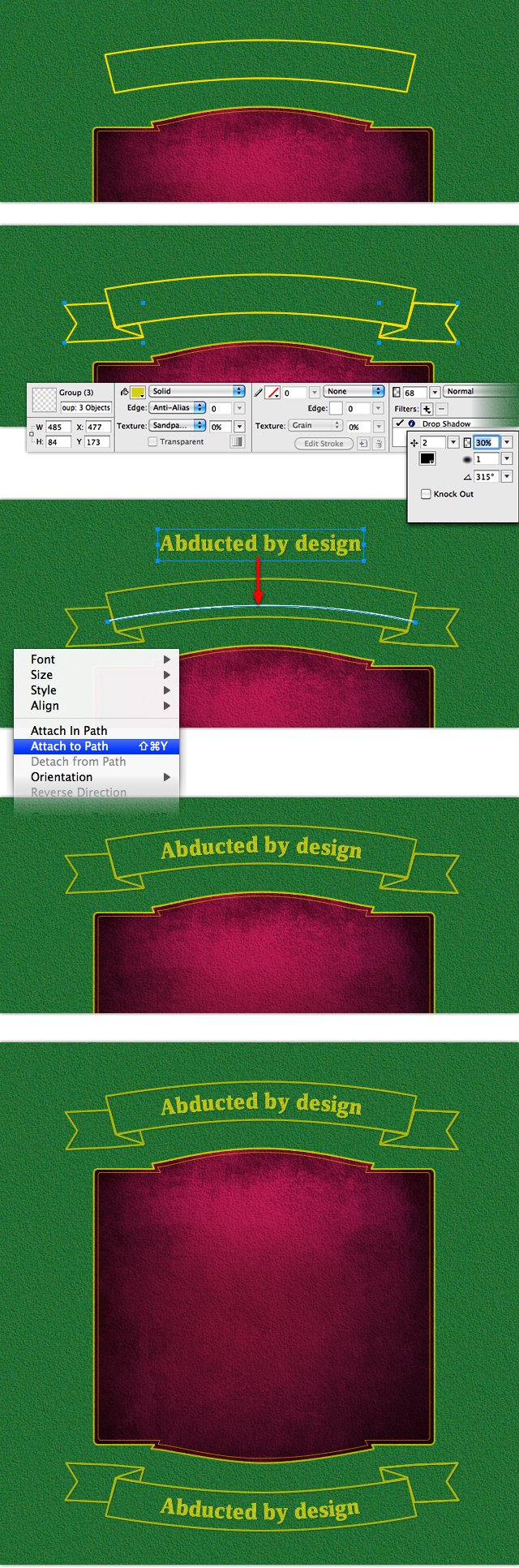
Step 7The part of the top and the bottom of the badge we will draw using the pen tool and adjusting the nodes with the "A" tool. Also we will write something inside that. Here we have another tip, draw a curve line and select this line and the text. Then go to Text > Attach to Path. Maybe you will need to make some adjusts with the "A" tool until you have exactly the shape you want.
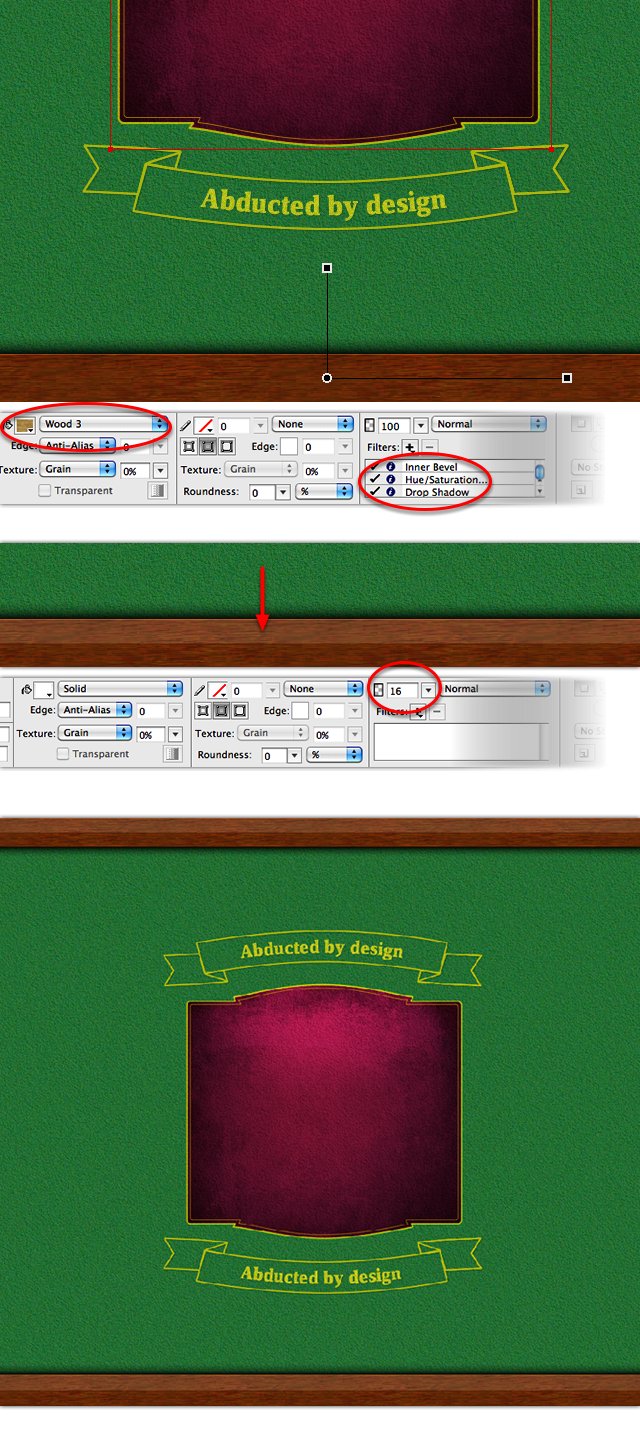
Step 8To draw the bottom and top wood bars, we will use simple rectangles and use the Wood texture on Fireworks. You can adjust the saturation and color of this wood if you want, do it with filters. After that, draw a half height rectangle over the wood with alpha 16%.
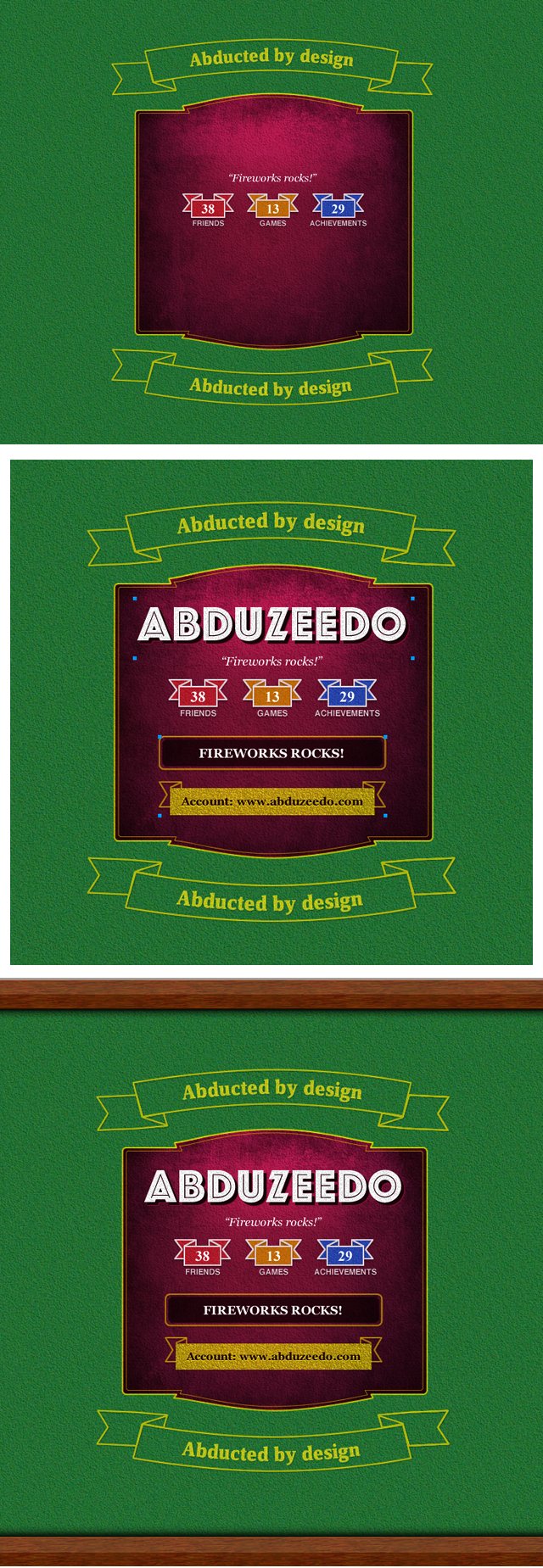
Step 9We're close to the end! Fill the layout with new elements, you can follow the PNG file if you need some inspiration!
Final ResultAlso put some round rectangles the the both sides of the layout, like Game Center does, this way you can place your desktop icons over those!
Download the Fireworks FileClick here to download the Fireworks file used for this tutorial |
| Beautiful Photos from the 2010 NatGeo Photography Contest Posted: 05 Dec 2010 05:58 PM PST
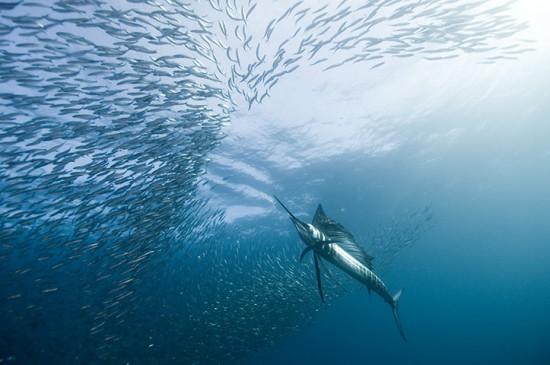
Every year National Geographic promotes a photographic contest, with the categories "people", "places" and "nature", which awards the winner $10000 and publishes their picture in the NatGeo magazine. Accepting entries from all over the world, this year's submission period was closed on November 30th, and the entries were already unveiled. The rules for the contest allow minor modifications on image editors, but some of the photos are so amazing that they seem completely manipulated.So in this post we've selected 20 of these fantastic photos to share with you. You can also see more images, including from the previous years, in the National Geographic website.
|




















| You are subscribed to email updates from Abduzeedo | Graphic Design Inspiration and Photoshop Tutorials To stop receiving these emails, you may unsubscribe now. | Email delivery powered by Google |
| Google Inc., 20 West Kinzie, Chicago IL USA 60610 | |

Tidak ada komentar:
Posting Komentar